Contents
the email tool that makes email marketing simple


Email Deliverability: Bounce Rate, Sender Reputation, and Inbox Placement
Published: · Last updated: · By Marcus Biel
In brief
Improve email deliverability with practical steps for authentication, list quality, bounce handling, sender reputation, content, and monitoring.

Email deliverability determines whether a message reaches the inbox, while bounce rate tells you how often a receiving server rejects it. The two are connected, but they are not the same: an email can be delivered to a server and still land in spam.
This guide brings bounce prevention, sender reputation, list quality, authentication, and email content into one practical workflow.
Delivery rate, bounce rate, and deliverability
Delivery rate measures the share of sent messages accepted by receiving servers. Bounce rate measures messages that were rejected. Deliverability describes inbox placement after acceptance.
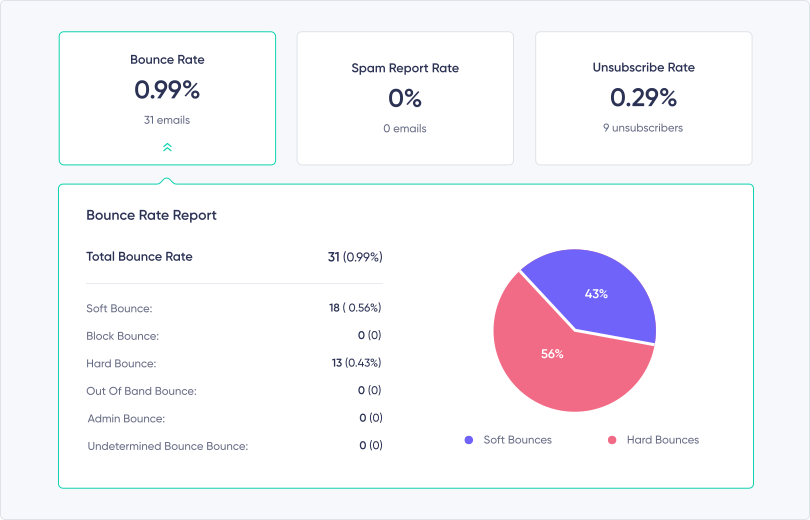
Hard bounces usually indicate a permanent problem, such as an address that does not exist. Soft bounces are temporary, such as a full mailbox or a receiving server that is unavailable. Repeatedly sending to invalid addresses wastes volume and can damage your sender reputation.
What is sender reputation?
Sender reputation is the trust mailbox providers associate with your sending identity. It is influenced by signals such as authentication, spam complaints, bounce patterns, sending consistency, and recipient engagement.
A strong reputation cannot guarantee inbox placement, but a damaged reputation makes filtering and rejection more likely. Treat it as the result of your day-to-day sending practices rather than a score you fix once.
1. Send only to people who asked to hear from you
Build your list through clear sign-up forms, imports you are allowed to use, and explicit subscriber expectations. Never buy or rent an email list. Those contacts did not request your messages, so complaints, disengagement, and invalid addresses are far more likely.
2. Confirm new subscriptions
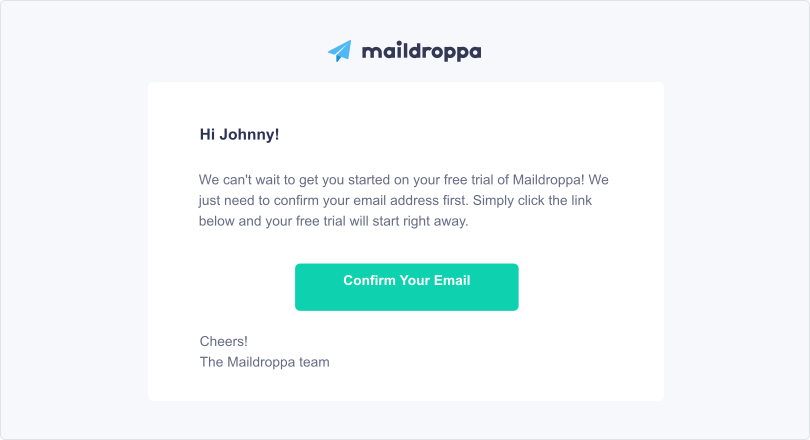
A double opt-in signup flow confirms that an address works and that its owner intended to subscribe. It reduces typos, fake addresses, and accidental signups before they enter your active audience.
Whether double opt-in is legally required depends on the jurisdiction and how you document consent. Operationally, it is one of the clearest ways to protect list quality.
3. Authenticate your sending domain
Configure SPF and DKIM for the domain you send from, and publish a DMARC policy that matches your rollout and reporting plan. Authentication helps receiving providers verify that a message is genuinely connected to your domain.
Follow the current Google email sender guidelines, especially when your volume grows. Authentication, a working unsubscribe path, and low complaint rates are infrastructure requirements—not optional copywriting improvements.
4. Remove invalid addresses and handle bounces
Stop sending to addresses that hard bounce. Review repeated soft bounces and suppress addresses that remain unreachable. Do not keep retrying indefinitely just to preserve a larger subscriber count.
Regular list maintenance also includes honoring unsubscribes immediately and separating active contacts from people who have not engaged for a long time.
5. Keep sending volume predictable
Sudden jumps in volume can look suspicious, especially from a new domain or sending identity. Increase volume gradually, send on a consistent schedule, and avoid mailing an old list after months of silence without first validating who should still receive messages.
Choose a sending frequency your audience recognizes. Too many irrelevant emails increase complaints; long unexplained gaps make your next campaign less familiar.
6. Use a recognizable sender and honest subject line
Use a sender name and address subscribers can connect to your brand. Subject lines should describe the message accurately. Misleading urgency, fake reply prefixes, and promises the email does not keep may earn a short-term open but weaken trust and increase complaints.
Capital letters or an exclamation mark do not automatically send an email to spam. The real risk is the pattern they create together with poor consent, deceptive copy, complaints, and weak engagement.
7. Build email content for real inboxes
Keep the message readable when images are blocked. Add useful alt text, compress large images, and balance visual content with real text. Link to downloads, videos, surveys, and forms instead of embedding attachments, scripts, or unsupported interactive elements.
Every campaign should have one clear purpose and a destination that matches the promise in the email.
8. Make unsubscribing easy
Include a visible, working unsubscribe link and process the request without friction. Hiding the link does not retain a subscriber; it encourages spam complaints, which are worse for your reputation.
9. Monitor the signals that reveal trouble
Review delivery, hard and soft bounces, spam complaints, unsubscribes, opens, and clicks after every campaign. Compare changes over time rather than reacting to one isolated number.
If bounces rise, inspect address quality and server responses. If complaints rise, inspect consent, targeting, frequency, and message relevance. If delivery is stable but engagement falls, the problem may be content or audience fit rather than infrastructure.
10. Test before sending
Proofread the message, verify links, check the plain-text version, preview mobile rendering, and send a test to several mailbox providers you control. A pre-send test will not predict every inbox decision, but it catches broken links, malformed content, and obvious authentication or formatting problems.
Deliverability checklist
Before the next campaign, confirm that:
- every recipient has a valid reason to be on the list;
- SPF, DKIM, and DMARC align with the sending domain;
- hard bounces and unsubscribes are suppressed;
- sending volume and frequency are consistent;
- the sender identity and subject line are honest;
- the email remains useful without images;
- unsubscribe and destination links work; and
- campaign metrics will be reviewed after sending.
Healthy deliverability is the outcome of permission, reliable infrastructure, relevant content, and disciplined list management. Protect those fundamentals and bounce rate, sender reputation, and inbox placement improve together.
Sources
- Email sender guidelines
Google
Current authentication, unsubscribe, spam-rate, and message-format requirements for Gmail recipients.
Continue reading
Use these related resources to apply the topic or explore the next decision.
- Verify your sender email and domain
Set up the identity checks that support authenticated sending.
- Apply practical steps to avoid the spam folder
Continue with a focused checklist for healthier sending practices.
- Send and monitor email campaigns with Maildroppa
Build a campaign, use an authenticated sender, and review delivery outcomes in one workflow.
Ready to Send Better Emails?
Stop juggling bloated tools or overpriced plans. Maildroppa offers personal support, privacy-conscious controls, and powerful email marketing - starting free forever.
No credit card required. No time limit.